Waterfall
Overview
Waterfall is a matrix gradient effect that creates a scrolling visualization of audio frequency data.
It is audio reactive, analyzing frequency bands and displaying them as colored bars that scroll down (or from center outward) the matrix over time, creating a waterfall-like visualization where the audio spectrum history is visible.
The effect divides the audio spectrum into configurable frequency bands, with each band’s intensity mapped to colors from your selected gradient. The visualization scrolls at a configurable speed, creating a cascading waterfall effect.
The following shows the four presets, ACID, DARK SKY, OCEAN VIEW and RGB.
Settings
The Waterfall effect includes a few unique controls:
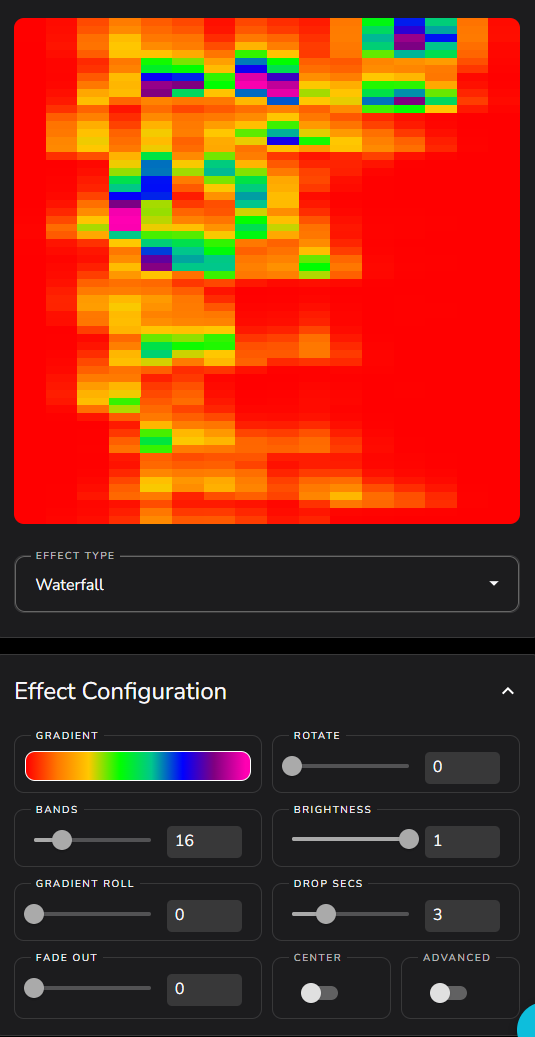
BANDS
Controls how many vertical frequency bands are displayed across the matrix width. Each band represents a portion of the audio frequency spectrum.
Default: 16
Range: 1 to 64
More bands provide finer frequency resolution but may be harder to distinguish on smaller matrices. Fewer bands create wider, more visible columns.
DROP SECS
Controls the scrolling speed by setting how many seconds it takes for the waterfall to scroll from the top to the bottom of the matrix (or from center to edge in center mode).
Default: 3.0 seconds
Range: 0.1 to 10.0 seconds
Lower values create faster scrolling, higher values create slower, more gradual movement.
FADE OUT
Adds a fade effect to the waterfall as it scrolls away from the source position.
Default: 0.0 (no fade)
Range: 0.0 to 1.0
At 0.0, there is no fading and the full scrolling history is visible. At 1.0, maximum fade is applied, creating a gradient fade toward the background color.
CENTER
Enables center scrolling mode where the waterfall originates from the middle of the matrix and scrolls outward in both directions.
Default: False
When enabled, the effect becomes symmetrical, with the newest audio data always appearing in the center row(s).
Advanced Settings
MAX VS MEAN
Controls how audio intensity is calculated for each frequency band.
Default: False (uses mean/average)
Options:
False: Uses the mean (average) value of frequencies in each band
True: Uses the maximum value of frequencies in each band
Using max makes the effect more responsive to peaks and transients, while mean provides a smoother, more averaged response.
BACKGROUND COLOR and BACKGROUND BRIGHTNESS
These settings only apply when FADE OUT is non-zero
Background Color: Sets the color that the waterfall fades toward, default is Black
Background Brightness: Controls the brightness of the background, default is 1.0