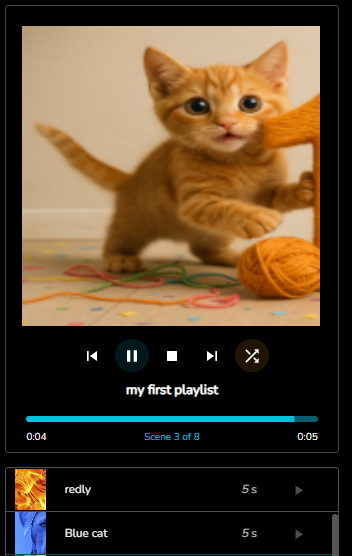
Playlists
Backend time-driven Scenes based playlists are now supported.
This framework will allow future development of mood-driven scene selection.
Example Config
Examples shown in this overview are available in the Example Config
Playlist tab
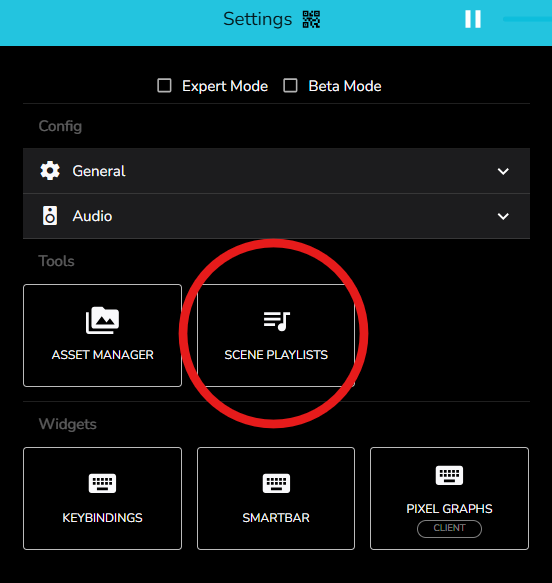
The playlist configuration tab can be accessed via two methods
Settings Scene Playlists
Hit the big button!
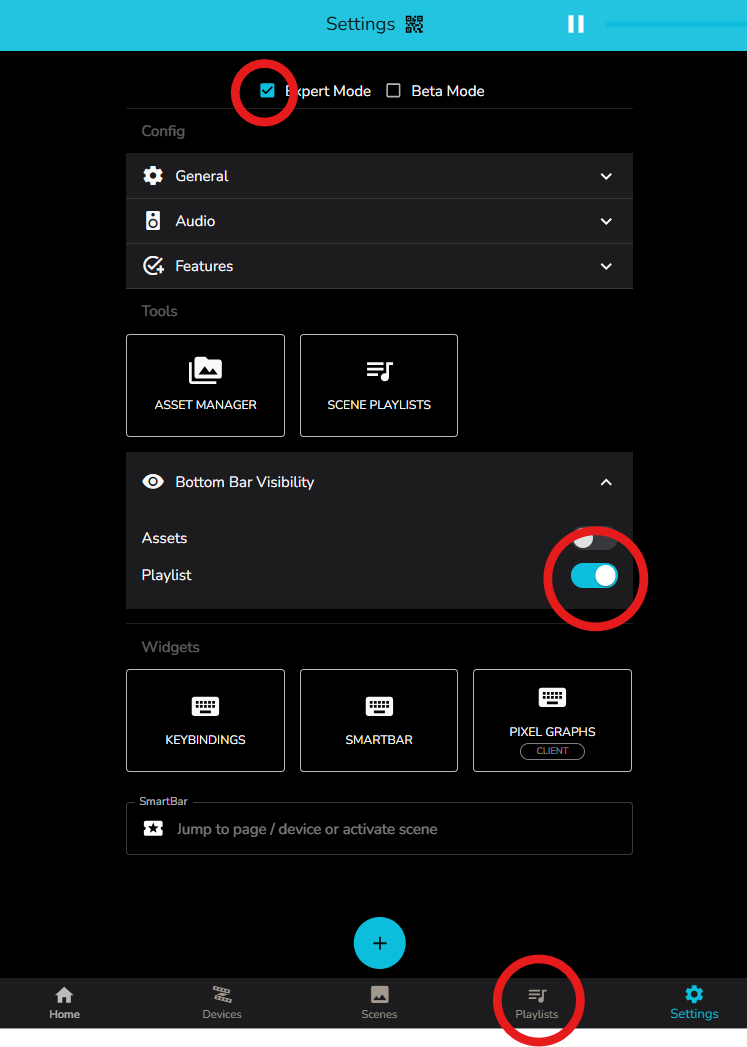
Bottom Task Bar Playlists
Adding the Playlist button to the bottom bar must be enabled via
Playlists examples
This video starts by showing the available scenes in the example config.
We then open the playlists tab via the bottom bar and can see that there are three existing examples.
We will edit “My first playlist” via the 3-dot menu.
We edit the playlist button image, switch to shuffle mode, rather than sequence, shuffle the order of some of the scenes ( which won’t matter as we are in shuffle mode ) and then save the changes.
Finally we activate “My first playlist”, monitor the playlist playback via the left widget, and watch the devices with the playlists cycling the scenes.
Edit Playlist Dialog
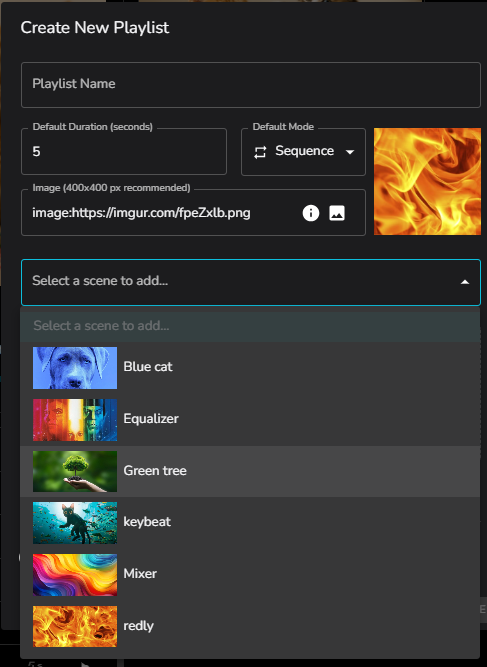
Playlist Name Put your new playlist name here.
Default duration Any added scenes will inherit the default duration.
Default Mode play in Sequence or Shuffle order every full cycle of playlist.
Image Use the asset manager to quickly select an asset to attach an image to the playlist.
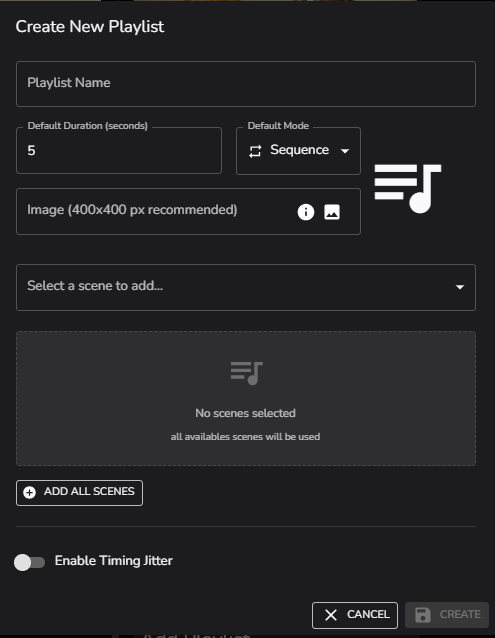
If no scenes are selected ALL scenes will be used in the playlist
To add scenes, select from the dropdown.
All scenes can be added in one click with ADD ALL SCENES
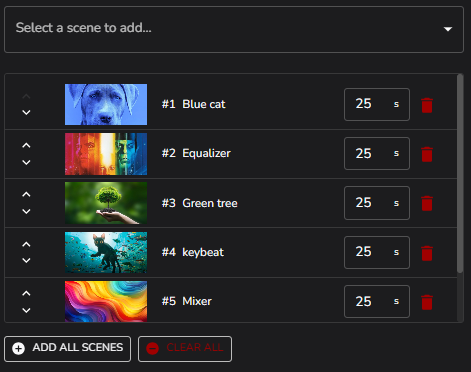
Scene order for Sequence Mode can be adjusted with the arrows to the left in the scene list to move scenes up and down.
The individual scene time can be edited, and any scene can be removed from the list with the red trash can.
By turning on Jitter, a random adjustment to the scene time can be applied according to the set range.
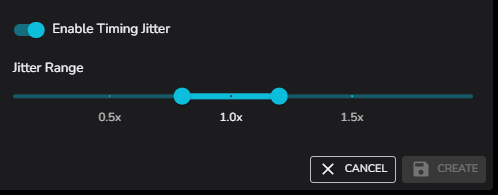
To commit changes, just hit CREATE for a new playlist or SAVE if you are editing.
Playlist Widget
The playlist widget allows direct control of the active playlist.
It can be used to pause or stop the playlist.
The current scene can be bumped with the prev / next icons.
The sequence or shuffle icon on the right can be used to switch the playlist playback mode.