Soap
Overview
Soap is a matrix noise effect using the FastNoiseLite library to generate and then smear 2D noise through time.
It is inspired strongly by the original WLED Soap effect in WLED github
Which itself drew on inspiration from this Soap Bubble Youtube by video by Stefan Petrick
In this example, three devices with 1,024, 4,096, and 16,384 pixels (32×32, 64×64, and 128×128 matrices) are in the default configuration except that the frequency range on each is set to mid.
Note
The code has been thoroughly rewritten to be NumPy and FastNoiseLite based to improve performance in the Python runtime. Nonetheless, it is a very expensive effect. If performance is a concern, monitor frame time in Advanced → Diag switch.
All further examples in this guide use a 64×64 matrix for illustration.
Settings
The Soap effect includes a few unique controls:
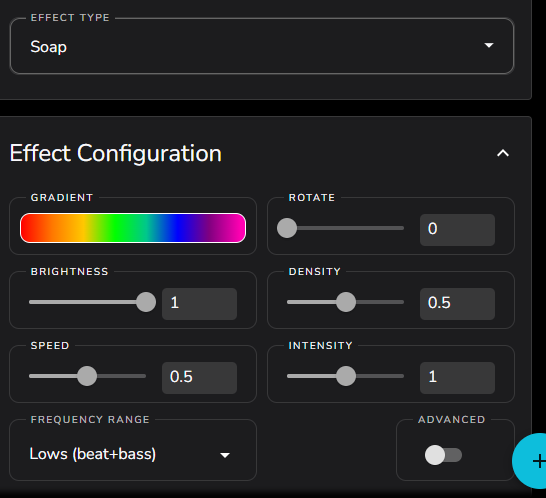
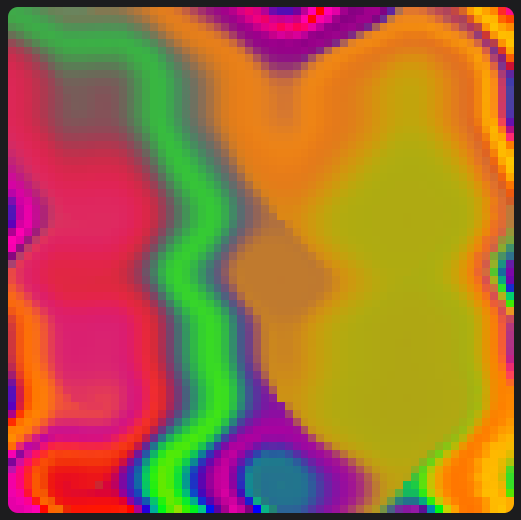
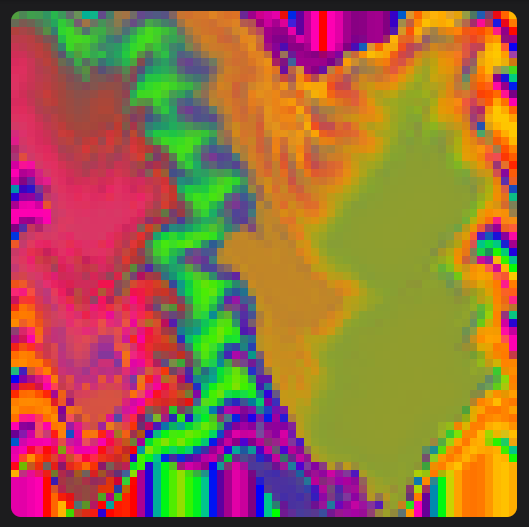
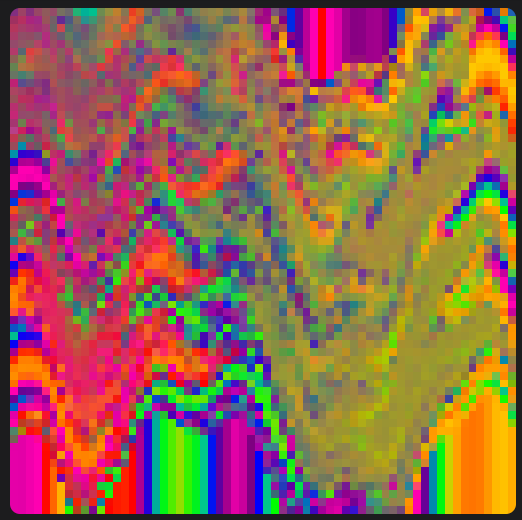
DENSITY — Controls density and size of the applied smear, below are examples using density of 0, 0.5 and 1
SPEED — Controls how fast the smear is applied through time. Increasing this value makes the smear more energetic.
INTENSITY — Is used as a multiplier on the audio input. Larger values will make the audio impulse more dynamic. Setting this value to 0 will allow the effect to free run irrespective of the audio source.
FREQUENCY RANGE — Controls the frequency of the band pass filter used to generate the audio impulse.