Filter
TODO: Add youtube video or similar
Overview
Filter is a simple band pass filter to single color effect intended to support very low count devices such as single pixels and spots.
It renders a single color across all pixels within a device or virtual, avoiding averaging issues common on complex effects with very low count devices.
It can effectively be used on high pixel count strips and matrix as well for solid color impact.
Settings
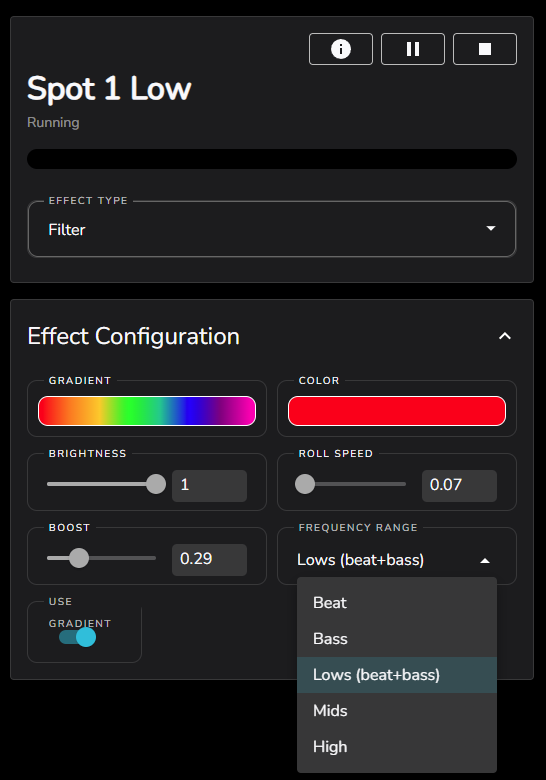
Filter is a simple effect with only a few settings
Color
Simple single color selector for the base color used in the effect
Use Gradient
off = Use single color picker for color source
on = Use Gradient picker for color source and Roll Speed for progress through the gradient over time
Gradient
Complex color gradient selector, used when use gradient is selected to define a gradient that can be rolled through over time for the effect
Roll Speed ( 0.0 - 1.0 )
When Use Gradient is selected defines the roll speed of the color selection from the gradient over time. The slider can be used to select from and between…
0 = No gradient roll, the first color in the gradient will be used
slightly greater than 0 = 60 second time to roll through the gradient
1.0 = Full gradient roll through in 1 second
Frequency Range
Select the active band pass filter from which the audio power is extracted
Ensure that the advanced virtual frequency settings are at their default 20 Hz - 15 KHz range to avoid issues!
Boost
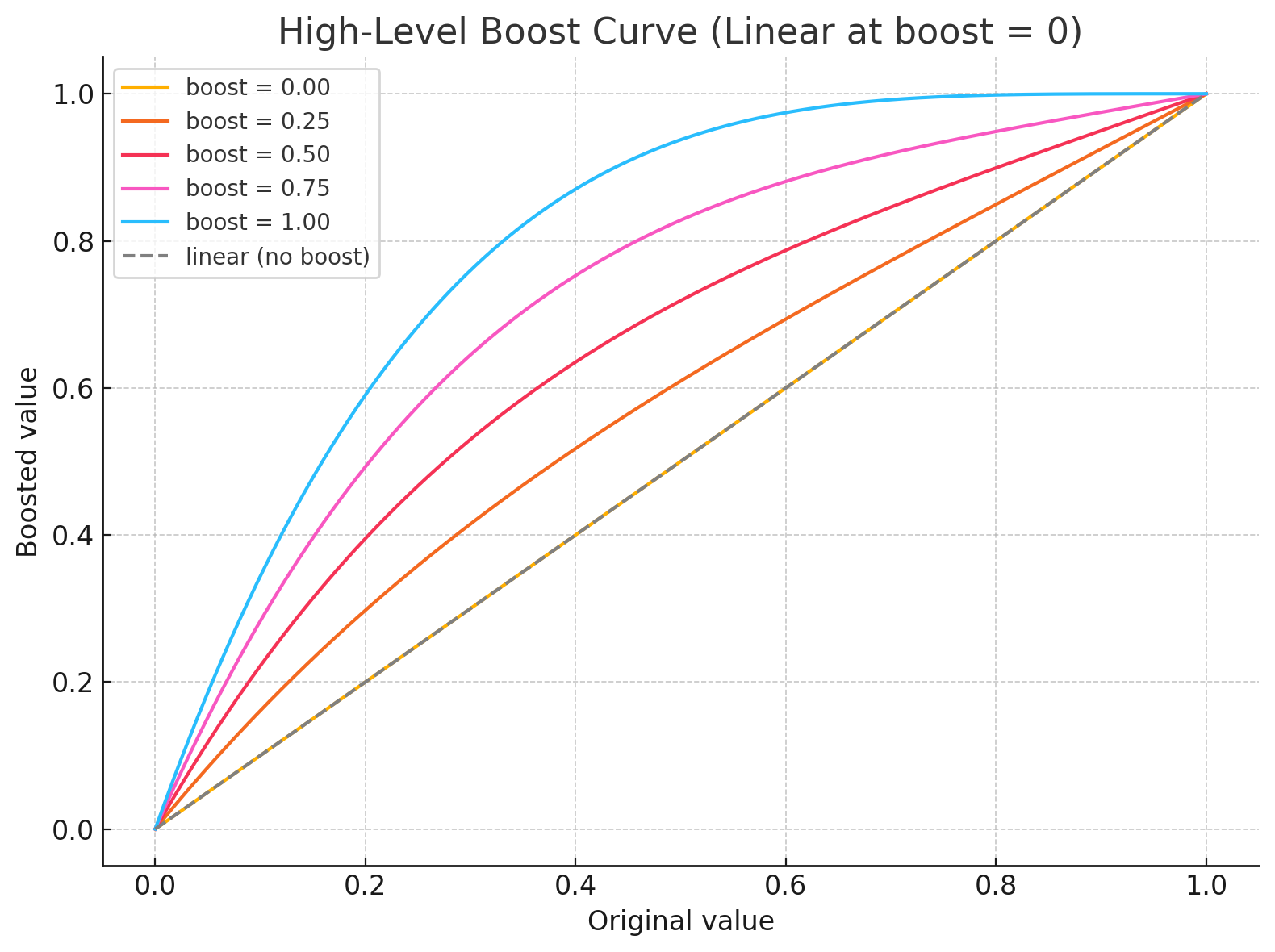
Applies a high level boost algorithm to the current detected level of the band pass filter output
This function smoothly blends between a linear response and an aggressive curve that pulls higher values closer to 1 as the boost increases. When boost is 0, the output exactly matches the input. As boost grows toward 1, the function pushes brighter values harder toward the maximum, without over-amplifying lower ones