General
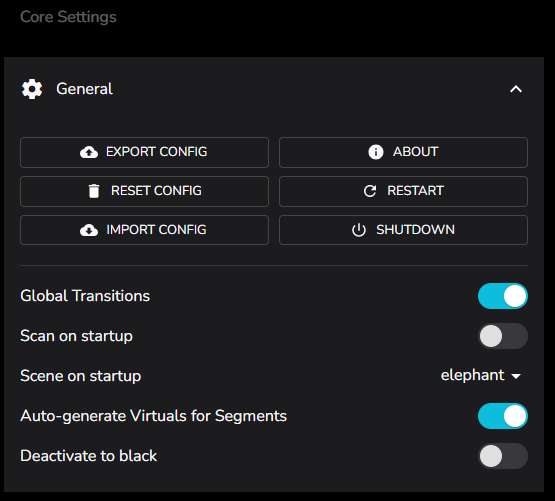
EXPORT CONFIG Save the current config to config.yaml into the OS download directory. Do this to backup your config prior to anything questionable!
RESET CONFIG Reset the config to an empty default. Warning This will irreversibly delete all your devices, settings, etc.
IMPORT CONFIG File select and import a yaml file and overwrite the current config.yaml in the .ledfx working directory.
ABOUT Front and Back end version information + check for updates.
RESTART Shutdown and restart LedFx core. May launch a new browser front end.
SHUTDOWN Shutdown LedFx core.
Global Transitions Enforce common transition time on all virtuals / effects or allow individual configuration.
Scan on startup Scan for any new WLED devices on every launch of LedFx.
Scene on startup Force scene selection to selected option on LedFx startup. In this example the scene elephant will be activated at startup.
Auto-generate Virtuals for Segments When adding WLED devices to LedFx will also create individual Virtuals for each Segment defined on the WLED device.
Deactivate to black When deactivating a virtual, will force pixels to black prior to ceasing data transmission. Prevents orphaned pixel display from last transmitted frame in scenarios such as overriding new virtual segments, deactivating prior virtual segments.